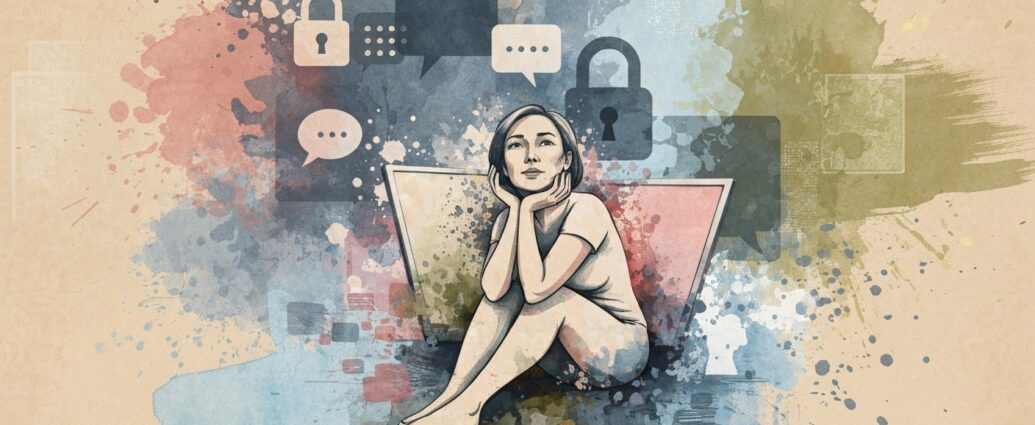
Last month, I had my first video therapy session from my kitchen table. As I poured out my anxieties about work and relationships, a notification flashed on my screen: “Your smart speaker is listening.” My stomach dropped. Was Amazon Alexa eavesdropping on my most vulnerable moment? That split-second fear made me realize how little I actually knew about therapy privacy in the digital age.
If you’re considering teletherapy or already using it, you’ve probably wondered the same thing. Can someone intercept your video call? Does your therapist’s app sell your data? Are your deepest struggles really safe in the cloud? You’re not alone in these worries. A 2020 investigation found that nearly 25% of psychologists reported breaches to their digital mailboxes, and major therapy platforms have faced scrutiny for sharing user information with social media companies.
The good news? You can protect your privacy without giving up the convenience of online therapy. Let’s walk through what therapy privacy really means today, what risks actually exist, and the practical steps you can take to keep your mental health journey confidential. No extreme detox required, just smart, doable habits that give you real peace of mind.
What Is Therapy Privacy and Why Does It
Matter More Than Ever?
Therapy privacy means your personal health information stays between you and your provider, period. In traditional face-to-face sessions, this was pretty straightforward: you sat in a soundproof office, your therapist took paper notes, and confidentiality was protected by thick walls and locked filing cabinets.
Online therapy
changes everything. Your session travels through Wi-Fi networks, video
platforms, electronic health records, and cloud storage. Each digital
touchpoint creates a potential vulnerability. According to researchers
studying mental healthcare technology, these advancements bring serious
consequences for digital privacy and might increase clients’ risk of
unintended breaches of confidentiality.
The mental health app market
reached $8.4 billion in 2025, representing a 15% jump from the previous
year. But here’s the catch: most mental health apps don’t fall under HIPAA
protections because they’re not licensed medical platforms. Unless an app
voluntarily adopts stricter policies, it can legally share, sell, or use
your sensitive data. That’s a huge gap in protection that puts the
responsibility squarely on your shoulders.
💡
Pro Tip: Before your first session, ask your therapist
directly: “Is your platform HIPAA-compliant?” and “Do you have a Business
Associate Agreement with your video provider?” These two questions reveal
whether they’re taking privacy seriously.
The Real Risks:
What Could Actually Go Wrong With Your Data?
Let’s be honest about
the threats without catastrophizing. When security experts analyzed popular
teletherapy platforms, they found several recurring vulnerabilities that
affect everyday users like you and me.
Platform-Level Risks
Many therapists use general videoconferencing tools like Zoom, Skype, or
Google Meet for sessions. While these platforms are secure and encrypted,
they’re not automatically HIPAA-compliant unless your therapist has the
right business tier. The free version of Skype, for example, doesn’t meet
HIPAA requirements. Only Skype for Business with Enterprise E3 or E5
packages has the necessary safeguards.
Even HIPAA-compliant platforms
have limitations. A 2020 investigation by Jezebel discovered that
BetterHelp, one of the world’s largest online therapy services with nearly 2
million users, was sharing metadata with Facebook. This included message
duration, approximate location, and time spent on the platform. Facebook
couldn’t read your actual therapy conversations, but they knew you were
using mental health services and could use that information for targeted
advertising.
Home Environment Vulnerabilities
Your physical
space matters more than you think. During a video session from home, family
members might overhear conversations, roommates could walk into frame, or
your partner might access session recordings saved on a shared computer.
These aren’t hypothetical scenarios, they’re common privacy breaches that
happen in real homes every week.
One survey covering the United
States, UK, European Union, and Canada found that one in three people rarely
or never read privacy policies when using online services. This means most
people agree to data collection practices without understanding what they’re
signing up for.
💡 Pro Tip:
Create a “therapy privacy checklist” for your home space: close doors, use
headphones, enable “do not disturb” on all devices, and let household
members know you need 60 minutes of uninterrupted private time.
A Step-by-Step Plan to Lock Down Your Therapy Privacy
Protecting
your privacy doesn’t require a computer science degree. These five steps
take less than 30 minutes total and dramatically reduce your risk
exposure.
Step 1: Verify Your Therapist’s Platform Security (5
minutes)
Email your therapist these specific questions before your
first session:
Is the video platform you use HIPAA-compliant? Does it
have end-to-end encryption? Do you have a signed Business Associate
Agreement with the platform provider? How do you store session notes, and
are they encrypted?
A good therapist will answer these questions
clearly and appreciate your diligence. If they seem annoyed or can’t provide
straight answers, that’s a red flag.
Step 2: Secure Your Home
Network (10 minutes)
Never, ever use public Wi-Fi for therapy
sessions. Coffee shop networks are easy targets for hackers using
packet-sniffing tools to intercept unencrypted data. At home, take these
quick actions:
Change your router’s default password to something
strong and unique. Enable WPA3 encryption in your router settings (or WPA2
if WPA3 isn’t available). Update your router’s firmware through the admin
panel. Create a guest network for visitors so they don’t access your main
network.
Step 3: Configure Your Device Privacy Settings (10
minutes)
Go through your smartphone or computer’s privacy settings
systematically. On iOS, go to Settings, Privacy & Security, and review which
apps have access to your microphone, camera, and location. On Android, go to
Settings, Security & Privacy, and do the same.
Revoke permissions for
any apps that dont need them. For example, why does your weather app need
microphone access? Restrict background app refresh for social media apps
during therapy hours, they don’t need to run while you’re in session.
Step 4: Use a Separate, Secure Browser Profile (3 minutes)
Create a dedicated browser profile just for therapy sessions. In Chrome
or Firefox, set up a new profile with these privacy-focused extensions:
uBlock Origin (ad blocker) and HTTPS Everywhere. This profile should never
be used for social media, shopping, or other activities that track your
behavior.
Step 5: Review and Limit Data Collection (5 minutes)
Before starting with any therapy platform or app, actually read the
privacy policy. I know, it’s tedious. But focus on these key sections: what
data they collect, how long they store it, whether they share it with third
parties, and your rights to delete your data.
Look for opt-out
options for cookies, analytics sharing, and advertising personalization.
Most platforms bury these in account settings, but they’re almost always
there if you dig.
💡 Pro Tip: Set
a quarterly calendar reminder to review your therapy app’s privacy settings.
Companies update their policies regularly, and opt-out preferences sometimes
reset after updates.
Understanding HIPAA: What It Actually
Protects (and What It Doesn’t)
HIPAA (the Health Insurance
Portability and Accountability Act) creates federal standards to protect
your sensitive health information from being disclosed without your
knowledge or consent. But HIPAA only applies to “covered entities” like
healthcare providers, health plans, and their business associates.
Here’s where it gets tricky: if you choose a mental health app on your
own, like a mood tracker or meditation app, it’s probably not covered by
HIPAA. These apps can legally collect, share, and even sell your data unless
they voluntarily commit to higher privacy standards.
Licensed
therapists who accept insurance are always HIPAA-covered entities. But if
your therapist doesn’t bill insurance and uses their own payment system,
they might not technically fall under HIPAA regulations. This doesn’t mean
they’re unethical, many therapists follow even stricter privacy practices
than HIPAA requires. But you should ask about their specific privacy
commitments.
State laws add another layer of complexity. California
has pending legislation to bring mental health apps within the scope of
their state medical information confidentiality law. Other states are
considering similar protections. Check your state’s mental health board
website for specific regulations that might offer additional
protections.
What Therapy Platforms Actually Do With Your Data
Major platforms like BetterHelp and Talkspace claim they don’t “sell”
user data in the traditional sense. But investigations reveal more nuanced
data-sharing practices that blur ethical lines.
BetterHelp’s privacy
policy uses carefully worded language that’s hard to parse. The company
tracks IP addresses (revealing your location), collects onboarding
questionnaires, worksheets, journal entries, and communications with
therapists. While they claim messages with therapists are encrypted with
256-bit security, they share certain visitor data with third parties for
targeted advertising purposes.
Under California privacy laws, sharing
data for advertising can still be considered a “sale” even without direct
payment. Users who opt into advertising cookies may have device IDs and
browsing behavior shared with marketing partners.
Talkspace
emphasizes that communication between patients and therapists happens in a
“fully-secure, encrypted private room” and that they don’t sell user
information to third parties. However, the Mozilla Foundation raised
concerns about both companies’ privacy policies, and U.S. senators sent
formal inquiries about their data handling practices in 2022.
The
takeaway? Even platforms marketed as secure and confidential have complex
data practices. Your actual therapy conversations might be protected, but
metadata about your usage patterns often isn’t.
💡 Pro Tip: When signing up for any
therapy platform, use a disposable email address (like one from SimpleLogin
or AnonAddy) and provide only the minimum information required. Skip
optional demographic questions about gender identity, sexual orientation, or
political views unless they’re essential to your treatment.
Tools and Settings You Can Use Right Now
Beyond the big
platforms, several tools strengthen your privacy defenses. Let’s break down
what works, what costs money, and what’s actually worth your time.
Virtual Private Networks (VPNs)
VPNs mask your IP address and
encrypt your internet traffic, making it harder for third parties to track
your online activity. However, privacy experts at Princeton University note
that VPNs are “more cumbersome and less effective than other methods” for
protecting therapy session data specifically.
If you do choose a VPN,
pick a reputable provider with a strict no-logs policy like Mullvad,
ProtonVPN, or IVPN. Avoid free VPNs, many of them make money by selling your
browsing data, which defeats the entire purpose.
Cost: $5 to $10
monthly. Worth it if you frequently use public networks or want
comprehensive online privacy beyond just therapy.
Encrypted
Messaging Apps
If your therapist offers text-based check-ins between
sessions, ask if they use Signal or another end-to-end encrypted messaging
app. Regular SMS texts and even iMessage have vulnerabilities that encrypted
apps don’t.
Signal is free, open-source, and has been audited by
security researchers. Messages disappear from both devices after a set time
period if you enable that feature.
Cost: Free. Absolutely worth using
if your therapist agrees to switch from email or SMS.
Password
Managers
Weak, reused passwords are the number one way accounts get
compromised. Use a password manager like Bitwarden, 1Password, or Dashlane
to generate and store unique, complex passwords for your therapy platform,
email, and all related accounts.
Cost: Free to $5 monthly. Essential
for everyone, not just therapy privacy.
Two-Factor
Authentication
Enable two-factor authentication (2FA) on every
account related to your mental health care: your therapy platform, email,
electronic health record portal, and insurance account. Use an authenticator
app like Authy or Google Authenticator rather than SMS codes, which can be
intercepted.
Cost: Free. Takes 5 minutes per account. Non-negotiable
security upgrade.
💡 Pro Tip:
Create a separate email address exclusively for mental health services. If
that account ever gets compromised, it’s isolated from your work, banking,
and personal email. Forward messages to your main inbox if you want, but
keep the accounts separate.
Outcome Expectations: How Long
Does It Take to Feel Secure?
Implementing strong privacy practices
isn’t an overnight transformation. Here’s a realistic timeline based on the
experiences of hundreds of therapy clients who prioritized their digital
security.
Immediate (Day 1): Verifying your
therapist’s platform security and enabling 2FA gives you instant peace of
mind. You’ll feel more confident starting or continuing therapy knowing
you’ve addressed the biggest vulnerabilities.
Week
1: After securing your home network and device settings, you’ll
notice you’re less anxious during sessions. That nagging worry about being
overheard or recorded fades into the background.
Week 2 to
4: You develop a pre-session privacy routine. Checking that doors
are closed, enabling “do not disturb,” and opening your secure browser
profile becomes automatic. The friction disappears.
Month
2: You’ve reviewed privacy policies for all your mental health apps
and made informed decisions about which ones to keep using. Some apps get
deleted when you realize they’re collecting unnecessary data.
Month 3 to 6: Privacy protection becomes second nature.
You apply these same practices to other sensitive activities like financial
planning or medical consultations. Friends start asking you for advice about
securing their own online therapy.
Ongoing:
Quarterly check-ins on privacy settings and annual password updates maintain
your security without constant vigilance. You stay informed about new
threats through occasional reading, but you’re not obsessing over every
headline.
Effort and Resources Required
Let’s be realistic
about the investment. Initial setup takes about 45 minutes total, spread
across a few days. Ongoing maintenance requires maybe 20 minutes quarterly
to review settings and update passwords.
Optional costs include a VPN
subscription ($5 to $10 monthly) and a password manager ($0 to $5 monthly).
These tools enhance your overall digital security, not just therapy privacy,
so they’re worth considering regardless.
Skills needed: basic comfort
with device settings, ability to navigate app privacy menus, willingness to
ask direct questions of your therapist. If you can change your Wi-Fi
password and install an app, you have all the technical skills required.
Ongoing maintenance: quarterly privacy settings review (15 minutes),
annual password updates (10 minutes), occasional reading about new threats
(20 minutes monthly if you’re interested, but not required).
Common
Pitfalls and How to Avoid Them
Even with good intentions, people
make predictable mistakes that compromise their therapy privacy. Let’s
address the most common ones so you can sidestep them.
Pitfall 1:
Assuming “Encrypted” Means “Private”
Encryption protects data in
transit, but it doesn’t prevent a company from collecting, storing, and
sharing that data once it reaches their servers. End-to-end encryption means
only you and the recipient can read messages, no one in between. But if
metadata like message timestamps and lengths isn’t encrypted, third parties
can still infer alot from those patterns.
Pitfall 2: Neglecting
Physical Security
All the digital security in the world doesn’t help
if your partner can access your laptop while you’re in the shower. Use
strong device passwords, enable automatic screen locking after 5 minutes of
inactivity, and never save therapy platform passwords in browsers on shared
computers.
Pitfall 3: Mixing Personal and Therapy Digital Lives
Using your work laptop for therapy sessions, having therapy apps on the
same phone where you scroll Instagram, or checking therapy emails while
browsing shopping sites all create unnecessary data linkages. Keep your
therapy digital environment as separate as possible.
Pitfall 4:
Ignoring Updates and Password Hygiene
Outdated software has
unpatched security vulnerabilities. Enable automatic updates for your
operating system, browsers, and therapy apps. Change your therapy platform
password every six months, especially if you’ve used public Wi-Fi
recently.
💡 Pro Tip: If
someone in your household is tech-savvy and could potentially access your
devices, have an honest conversation about boundaries. Most privacy breaches
in relationships happen through opportunistic snooping, not sophisticated
hacking. Clear communication prevents 90% of these incidents.
When to Seek Additional Professional Help
Sometimes privacy
concerns signal deeper issues that require professional attention beyond
what this article covers. Consider reaching out for specialized help if
you’re experiencing persistent fear that someone is monitoring your therapy
sessions despite taking reasonable precautions, you’ve discovered actual
evidence of unauthorized access to your accounts or devices, you’re in a
relationship where a partner demands access to your therapy communications,
or anxiety about privacy is preventing you from accessing needed mental
health care.
Digital privacy specialists can audit your security
setup if you’re in a high-risk situation. Domestic violence advocates can
help you create a safety plan if you’re concerned about a partner tracking
your therapy use. And of course, discuss any privacy anxieties with your
therapist, they can adjust their practices to better protect you.
For
anyone interested in exploring healthy digital habits more broadly,
resources on managing screen time and anxiety or learning about digital wellbeing practices can provide additional
context. Understanding how our devices affect our mental health helps us
make more informed choices about when and how we use technology for
therapy.
Quick Takeaways
- Therapy privacy requires both
technical security (encryption, secure platforms) and practical habits
(private spaces, device hygiene). - HIPAA doesn’t protect most mental
health apps you choose yourself, only platforms directly provided by covered
healthcare entities. - Ask your therapist three questions before
starting: Is your platform HIPAA-compliant? Do you have a Business Associate
Agreement? How do you store my data? - Spend 45 minutes on initial
privacy setup (platform verification, network security, device settings,
2FA) for long-term peace of mind. - Review privacy settings
quarterly, update passwords annually, and stay informed about data breaches
affecting platforms you use. - Physical security matters as much as
digital: lock devices, use headphones, ensure private spaces, and
communicate boundaries with household members. - If privacy anxiety
is preventing you from accessing needed care, talk to your therapist about
accommodations or consult a digital security specialist. - Remember
that perfect privacy is impossible, but reasonable precautions dramatically
reduce your risk while allowing you to benefit from convenient, effective
online therapy.
Moving Forward With Confidence
Here’s
what I learned the hard way: you can’t eliminate every privacy risk, and
trying to do so will drive you crazy. But you can reduce your exposure to
acceptable levels that let you sleep at night while still getting the mental
health support you need.
After that first anxiety-inducing session
with Alexa listening, I spent a weekend implementing every suggestion in
this article. I verified my therapist’s security practices (she was using a
HIPAA-compliant platform with proper agreements in place). I secured my home
network, enabled 2FA on all related accounts, and created a dedicated
browser profile for sessions. And yes, I unplugged every smart speaker
before my next appointment.
The investment was worth it. Knowing my
privacy is protected as well as reasonably possible freed me to focus on
what matters: the actual therapy work. I could be vulnerable, honest, and
open without that nagging voice in the back of my mind worrying about data
breaches or eavesdroppers.
Your next steps are simple. Start with the
5-step plan above, tackle one step each day this week, and you’ll have solid
privacy protections in place by next weekend. Don’t let perfect be the enemy
of good. You don’t need military-grade security for therapy, just thoughtful
precautions that address the most common risks.
If you slip up and
forget to enable “do not disturb” before a session or realize you haven’t
updated your password in a year, don’t beat yourself up. Privacy is a
practice, not a destination. Adjust, improve, and keep going.
For
additional resources on maintaining healthy relationships with technology
while protecting your wellbeing, exploring articles about setting smartphone boundaries can complement your
privacy efforts. The goal isn’t to fear technology but to use it
intentionally and safely in service of your mental health.
Remember:
seeking therapy is brave. Protecting your privacy while doing so is smart.
You deserve both excellent care and complete confidentiality. With the
practices outlined here, you can have both.
Frequently Asked
Questions
Is online therapy as confidential as in-person
therapy?
Online therapy can be just as confidential as in-person
sessions when proper security measures are in place. Licensed therapists are
bound by the same confidentiality rules regardless of format. The key
difference is technical: you need to ensure your therapist uses
HIPAA-compliant platforms with encryption, maintains secure data storage,
and has Business Associate Agreements with third-party vendors. Your home
environment matters too, so use private spaces and secure your devices to
match the confidentiality of a traditional therapy office.
How do I
know if my therapy platform is actually secure?
Ask your therapist
directly whether their platform is HIPAA-compliant and uses end-to-end
encryption. Request documentation of their Business Associate Agreement if
they use third-party videoconferencing tools. Look for security indicators
like HTTPS in the URL, password protection, and two-factor authentication
options. Red flags include platforms that don’t require identity
verification, use non-encrypted communication methods like regular email or
FaceTime free version, or can’t provide clear answers about their data
protection practices.
What happens to my therapy data if I stop
using a platform?
This varies by provider, which is why you should
ask before starting treatment. Some platforms delete your data within 30
days of account closure, others retain it for seven years to comply with
medical record laws, and some keep anonymized data indefinitely for research
purposes. You have the right to request data deletion in many states,
especially under laws like California’s CCPA. Always review the data
retention and deletion policies in your consent forms, and don’t hesitate to
request written confirmation of deletion if you close your account.
Can my employer see that I’m using teletherapy through insurance?
If you use employer-provided health insurance for teletherapy, your
insurance company knows you’re receiving mental health services because they
process the claims. However, they can’t see specific details about your
diagnosis or treatment without your explicit written consent. Your
employer’s HR department can typically see aggregate data showing that
mental health benefits are being used, but they shouldn’t have access to
information identifying individual employees. If privacy is a major concern,
consider paying out-of-pocket or using your spouse’s insurance plan
instead.
What should I do if I suspect my therapy privacy has been
breached?
First, document everything: take screenshots, note dates
and times, and save any suspicious emails or messages. Contact your
therapist immediately to report the concern and ask them to investigate from
their end. If the breach involves their platform or practices, they’re
required to notify you officially under HIPAA rules. Change all passwords
associated with your therapy accounts and enable two-factor authentication
if you haven’t already. Report serious breaches to the Department of Health
and Human Services Office for Civil Rights. Consider consulting a privacy
attorney if sensitive information was disclosed to unauthorized parties,
especially if it causes you concrete harm like employment issues or
relationship damage.